
Welcome to the eBay Seller Center
What’s new

Power up your parts and accessories business with eBay Fitment Plus
Get your listings in front of the buyers that need them with this easy-to-use tool.

Sharing to social is easier than ever
Link your social accounts to your eBay account and create custom posts, engage with your buyers, and get detailed data using the Seller Hub social page.

File your taxes with confidence at TaxAct®, a DIY tax provider
TaxAct® is an eBay partner

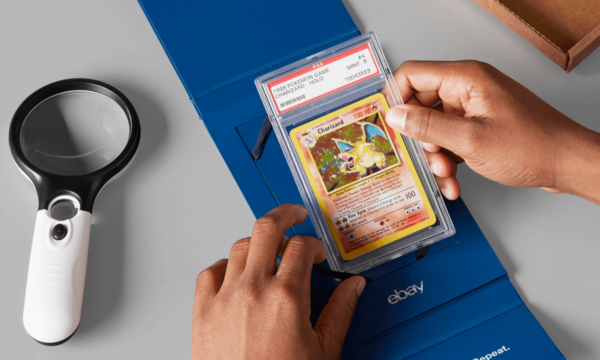
Raise your trading card selling game
Tap into sales tips, tricks, and more in our card-specific resource center.
Kids’ sneakers, now with Authenticity Guarantee
Get professional authentication, verified returns, and more when you list eligible pairs.


Get your money in minutes, not days
Add your Visa or Mastercard debit card as a payout method and receive your funds within 30 minutes. You’ll also get 3 free express payouts until October 15.

Sell with confidence
Learn how the Authenticity Guarantee can help you sell with confidence.

Trending topics
Getting started
Why sell on eBay
eBay’s your selling partner, every step of the way.
How to sell on eBay
From listing to getting paid—learn the selling skills to help you sell and earn more.
Fees & features
Choose the combination that fits your business.
Ship the way you want
Choose the shipping option that fits your business.
What to sell
Learn what buyers want, what it’s worth or what sells at a premium.
Simple to get paid
Getting paid is predictable, flexible, and convenient. When items sell, we send your payouts directly to your bank account.
Stay in touch

eBay for Business podcast
Subscribe for a weekly dose of everything you need to start, run, and grow your business.

eBay for Business on social media
Get connected and stay in the know with daily updates, inspiration, and guidance on Facebook.

eBay for Business on YouTube
A collection of how-tos, seller storytelling, and event coverage just for eBay sellers.
Interact with your community now.
Did you know?
The number of active eBay buyers worldwide
Marketplace GMV in Q4 2023
Items on eBay that ship free