|
Choose a Topic |
|
|
Home |
|
|
|
Getting Started |
|
|
|
Growth Strategies |
|
|
|
Shipping |
|
|
|
PowerSeller Program |
|
|
|
 |
|
|
|
|
 |
Build buyer confidence and boost your shipping Detailed Seller Ratings (DSRs) by incorporating these best practices from list to ship.
|
Listing your item
To build trust with your buyers and drive repeat sales, it's essential for you to provide accurate shipping charges, pack the item securely and ship the package in the timeframe you indicated on your listing. When the buyer receives the item quickly and undamaged, they will likely return to buy from you again as a trusted seller.
The following are recommendations on how to optimize your listing with shipping information to help drive improved DSR ratings.
Specify Shipping Costs with the Shipping Calculator
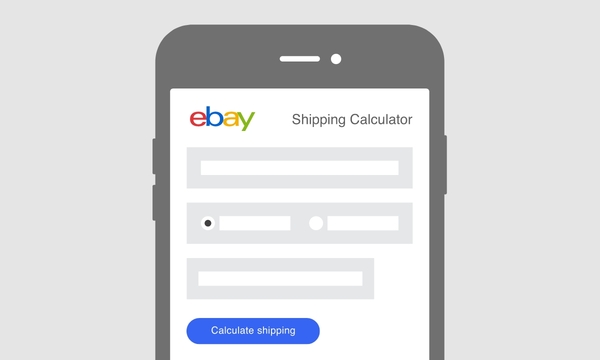
Specifying shipping costs in your listing is essential to smart selling. eBay's free Shipping Calculator provides real-time shipping costs to buyers all over the world. All sellers are required to specify shipping costs. There are two ways to specify shipping costs in your listing: Calculated Shipping and Flat Rate Shipping.
Why use the Shipping Calculator:
Sell More Successfully: Listings that include the Shipping Calculator are more likely to sell.
Get Paid Faster, Ship Faster: Shipping details are pre-filled when your buyer goes to checkout and pre-filled when you print a shipping label.
Bundle Handling Fees and Shipping Costs: Display one total cost to buyers.
Reduce e-mail Volume: Your buyer will know the shipping costs to their location and will receive a confirmation when a shipping label is printed.
Give Buyers a Choice: You can make multiple shipping services available to your buyers.
Go Global! With the Shipping Calculator, buyers see shipping costs specific to their location, worldwide.
How do I include the Shipping Calculator in my listings?
- When you list your item using the Sell Your Item form or Turbo Lister, select the Shipping section and choose the Calculated drop-down menu.
- Select a package type.
Note: If you select Large Package, you'll need to enter the dimensions of the package. Your package may be considered irregular if it's a non-standard material or if it's an irregular shape, and may have additional charges. The US Postal Service and UPS have different definitions of irregular.
- Enter the weight of the packaged item including packing materials.
- Your package may be considered irregular if it's a non-standard material or if it's an irregular shape, and may have additional charges. The U.S. Postal Service and UPS have different definitions of irregular.
- Select a shipping service.
Note: You can specify up to 3 shipping services.
- To add a handling cost, click the Change link at the bottom of the section.
Note: If you do add a handling cost, make sure that it covers only the actual cost of packaging materials. Learn more about our Selling practices policy.
- That's all there is to it! The Shipping Calculator will appear in your listing.
Flat Rate Shipping
When you select Flat: same cost to all buyers, you decide the shipping costs and which services to use. This option lets you to enter flat costs for U.S. and international shipping. If you are selling more than one item, you can enter a shipping cost for each additional item a buyer purchases. Learn more about specifying your shipping costs.
Offer Combined Shipping Discounts
The Combined Shipping Discounts feature gives you added flexibility when offering discounts for multiple item purchases. Drive additional sales by setting flexible discount rules customized by you for your business needs. Learn more.
Offer promotions to your customers
You can customize your own promotion box to display the information of your choice including special shipping promotions. Learn more about including Promotion Boxes in your listing.
Consider Shipping within 1 business day
Boost buyer confidence that they'll receive the item quickly. Indicate in your listing that your quick handling time will encourage buyers to purchase from you instead of another seller with longer delivery times.
Consider Shipping with a Time Definite Delivery Service like UPS Ground
Boost buyer confidence by being able to tell them the specific date they can expect their package. Buyer's benefit from knowing when their item will arrive and you benefit with on-time delivery backed by an on-time guarantee.
Consider offering Free Shipping
Buyer's love free shipping and some buyers will only shop for items that ship free! Plus, by listing your items with free shipping, your listings will be raised in search results and more buyers will see your listing.
In order to have your listing appear with the Free Shipping filter, either select the Free Shipping check box in Sell Your Item or follow these easy steps:
- In the Shipping section of Sell Your Item, select "Flat: Same cost to all buyers".
- Select a Shipping Service from the drop down menu. Please note you cannot select "Local delivery/pickup" or "Other (see description)".
- Enter 0 in the Shipping Cost field.
Consider lowering your shipping costs
In search results, we give a boost to items that offer free shipping. If your shipping charges are high, your search standing may be lowered. Offering competitive low shipping charges will improve your search results standing. To see how buyers rate your shipping and handling charges and shipping time, look at the detailed seller ratings in your Seller Dashboard.
Sign up for Discounts
Sign up for the Special Pricing Program for eBay sellers—eligible program members can save up to 31% compared to rates paid by occasional shippers. Visit the UPS Shipping Zone for details. PowerSellers can save even more!
Save time and money on Shipping Supplies
From padded envelopes to packing peanuts; adhesive labels to pallet scales, you can save time and money by stocking up on packing and shipping supplies right on eBay.
Get Free Boxes: Order your free Flat Rate Boxes from the U.S. Postal Service®. Ship your items safely and easily with free supplies from the U.S. Postal Service. The U.S. Postal Service even delivers your supplies directly to you! Combined with free carrier pickup service, shipping on eBay couldn't be easier.
UPS supplies: Self Adhesive Labels, air shipping packaging and more are available free of charge to UPS shippers. Order supplies at ups.com.
Once your item has sold
Take care in packing your item
A satisfied buyer is someone who receives their item in the same condition as described in your listing. Doing all you can to avoid shipping accidents and damage will enhance your relationship with your buyer and help maintain a high DSR. Here are some recommendations for securely packing your item:
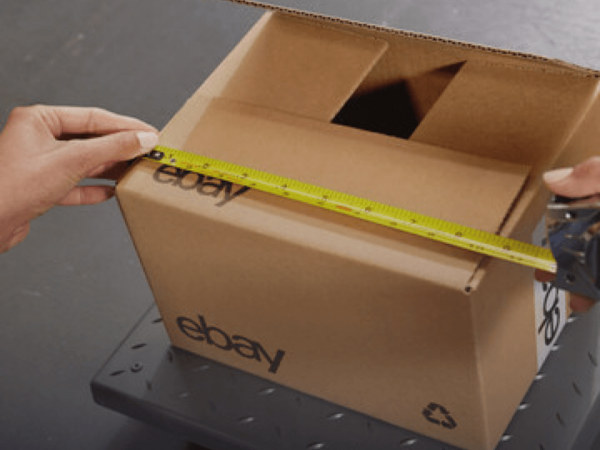
- Measure and evaluate the item for box or envelope size and packing material.
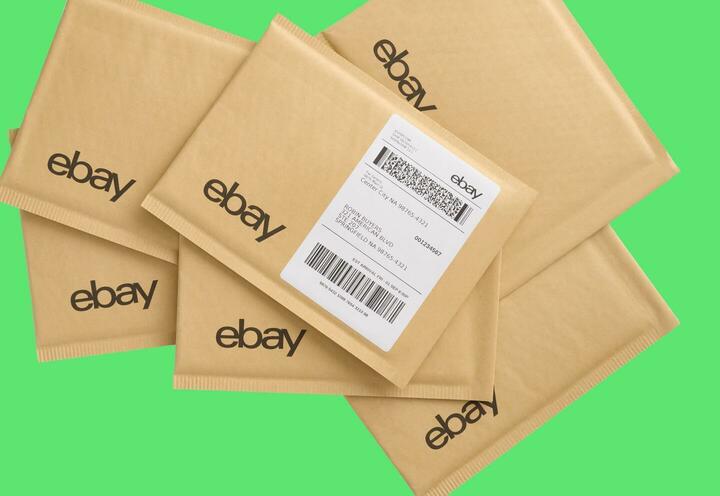
- Choose a new sturdy box or padded envelope that is slightly larger than the item you are sending with enough room for packing material and packing slip.
- Pack the item carefully with bubble wrap, peanuts, foam, or paper. Check that the item does not rattle around in the box or envelope. Pack to prevent in-transit damage.
- Weigh the packed item- with all packing materials.
- Seal the box using clear or brown packaging tape, reinforced packing tape or paper tape that is at least two inches wide. Do not use masking tape, cellophane tape, cord, string, or twine.
- Tape the opening of the box and reinforce all seams.
Pay Shipping Services and Print Shipping Labels Online
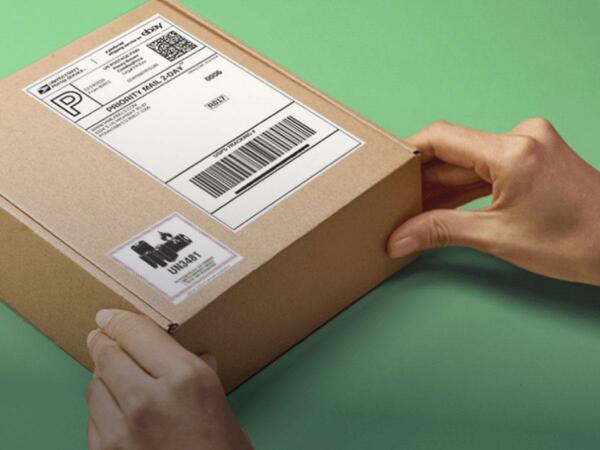
Print shipping labels right from your desktop at My eBay or PayPal. It's free! You simply pay for the postage or the UPS shipping charges with your PayPal account and print your labels to your standard or label printer - all in a matter of seconds. Once the label is on the package, you can arrange for carrier pick up.
Learn more in this 2 minute shipping labels video.
Offering Global Shipping? When you prepare your international shipments online with USPS, you have the added convenience of completing only one mailing form that includes both mailing and customs information. Plus, you receive a discount when you purchase internal postage online—saving you time and money.
Printing your shipping labels from My eBay or PayPal will automatically update your tracking or Delivery Confirmation numbers to My eBay and the order details page. Emails will automatically be sent to both buyer and seller containing the tracking details.
For professional sellers with UPS WorldShip® and a pickup account, Link to UPS WorldShipTM is available as a free application that can help save you time and avoid costly errors with your shipping process.
Provide Tracking Information or Mark as Shipped
Shipping tracking and Delivery Confirmation information gives your buyers more visibility into the status of their order and the expected delivery date of the product. This helps you manage the expectations of your customers and gives you peace of mind knowing that your item was delivered to your buyer. Sellers who provide either shipping tracking numbers or Delivery Confirmation are likely to see an increase in shipping-related DSR scores and a reduction in the number of buyer contacts asking "Where's my stuff?"
eBay is making shipping tracking and Delivery Confirmation more accessible and visible by enhancing the add/edit tracking numbers page, adding support for more shipping carriers, and sharing shipping tracking and Delivery Confirmation information in more places on the site. Get more information about tracking your package.
If you ship or receive a high volume of packages, UPS Quantum View® visibility solutions can help you proactively monitor all of your important packages without the need of a tracking number.
Benefits of tracking your package
Build Buyer Confidence. Stating in your listing that you provide tracking or Delivery Confirmation can attract more buyers and shows you're a serious seller.
Fewer buyer emails. You're likely to receive fewer emails from buyers asking about the status of their shipments.
Peace of mind. You can verify the delivery of an item easily with official documentation and avoid problems later. Additionally, shipping tracking numbers and Delivery Confirmation will be integrated into the eBay Resolutions flow.
Frequently Asked Questions
How can I quickly learn more about uploading a tracking number?
Watch this 2 minute video, How to upload tracking for shipped items.
How is the Add/Edit Tracking Number page being enhanced?
When you enter a shipping tracking number on the Add/Edit Tracking Number page, eBay will recognize the number and auto-populate the shipping carrier name for you. If eBay does not recognize your shipping tracking number, you'll have the option to write in the shipping carrier you are using.
I don't use USPS or UPS. Can I use shipping tracking or confirmation of delivery with other carriers?
Yes, you can enter shipping tracking information from more shipping carriers than ever before. eBay supports several additional US and international shipping carriers. If your carrier is not recognized in the Add/Edit Tracking Number page, you can manually add the name of the shipping service you use.
After I enter my tracking information, where can I find shipping tracking numbers or Delivery Confirmation?
You will find tracking information on the following pages:
- Order Details
- My eBay
- Feedback page
- Order Update email
- Ask Seller a Question
Additionally, shipping tracking numbers and Delivery Confirmation will be integrated into the eBay Resolutions flow.
How do I mark an item as shipped once I have mailed it out?
In My eBay, to the right of your item listing, click the drop-down arrow and select Mark as Shipped from the list. It's good practice to send a message to your buyer that the package was shipped and give them the Delivery Confirmation number or tracking number.
Drive Repeat Sales
Trust with Buyers
Adopt these best practices to help build trust with your buyers and to help ensure a smooth transaction for you and your buyer—and help reduce your rate of low DSR scores for shipping (1s and 2s).
- Keep your shipping costs down; use the Shipping Calculator and charge actual cost for shipping. Or consider offering free shipping for your item-buyers love free shipping! Please keep the eBay Excessive Shipping Charges Policy in mind when evaluating your shipping costs.
- Increase buyer confidence by adding details of your return policy in your item description.
- Choose the most appropriate box or envelope for your item to help minimize the risk of damage in transit. Take care in packing your item so it doesn't rattle around in the box or envelope. Your buyer will appreciate your care!
- Shipping tracking information or Delivery Confirmation gives your buyers more visibility into the status of their order and the expected delivery date of the product. This helps you manage the expectations of your customers and gives you peace of mind knowing that your item was delivered to your buyer. Sellers who provide either shipping tracking numbers or Delivery Confirmation are likely to see an increase in shipping-related DSR scores and a reduction in the number of buyer contacts asking "Where's my stuff?"
Using time-definite delivery services allows you to tell buyers when to expect their items. This helps buyers manage their schedules and creates opportunities for improved "shipping time" scores by simply providing sellers with carrier-specified guaranteed delivery days.
- Keep in mind all four DSRs -
- item as described
- communication
- shipping time
- shipping and handling charges
To help minimize 1s and 2s, only transactions with U.S. buyers will count towards the requirements for U.S. sellers. Transactions and DSRs from repeat U.S. buyers will also count to reward sellers who cultivate repeat business by providing their customers with great service.
|
|
|
|
|
|
 |
Spotlights


|